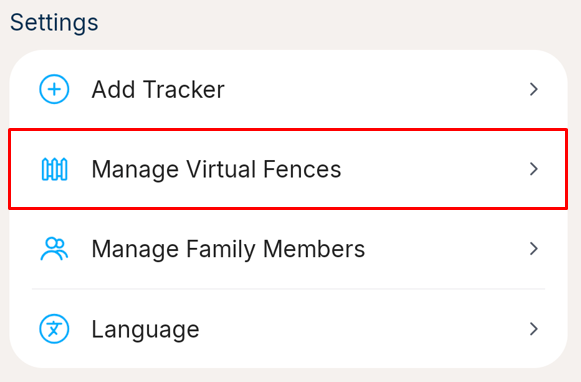
1. Go to the More tab, and select the Manage Virtual Fences under the Settings section
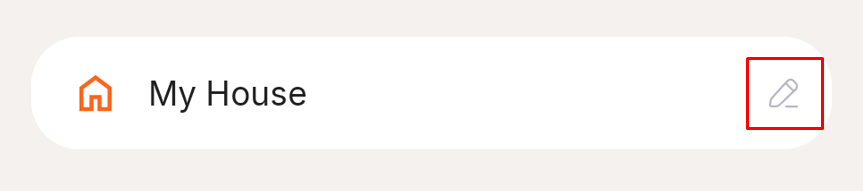
2. Click the Edit Icon on the fence you'd like to change
3. If you want to edit it, make the changes (you can follow step 3 onwards on What is a colla virtual fence and how do I create one?) Please allow 12-24 hours for this change to be synced to your tracker and for the alerts to reflect the fence's new name, size or position.
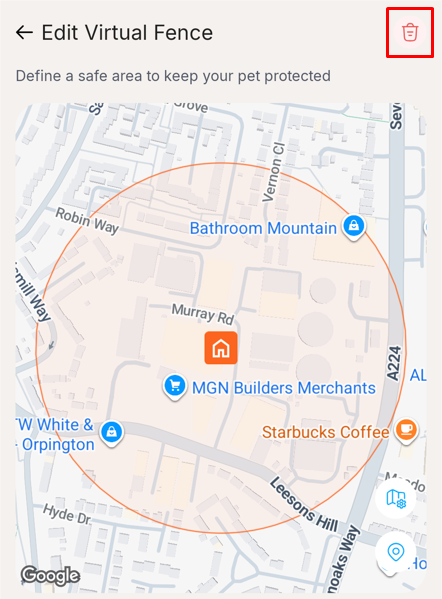
4. If you want to delete the fence, click the red trash icon on the top right of the screen
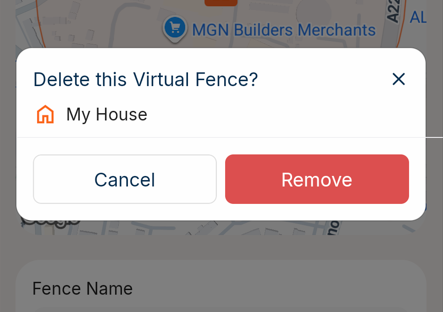
5. Press Remove on the confirmation pop-up. Along with deleting the fence, this will automatically remove the fence from all trackers on which it was enabled. Please allow 12-24 hours for this change to be synced to your tracker and not get alerts from this fence.
Was this article helpful?
That’s Great!
Thank you for your feedback
Sorry! We couldn't be helpful
Thank you for your feedback
Feedback sent
We appreciate your effort and will try to fix the article