What is radar mode?
Radar mode helps you find your home, garden or any other enclosed area where you might not be able to see your pet.
It does this by using a bar to show how close or far you are from your pet.
How does it work?
It works via Bluetooth, so it will only work within a range of 30m that Bluetooth can connect within.
Once connected, you will see 1-4 bars on the app light up to show how close or far you are to your pet, so you know whether you're getting closer or further away.
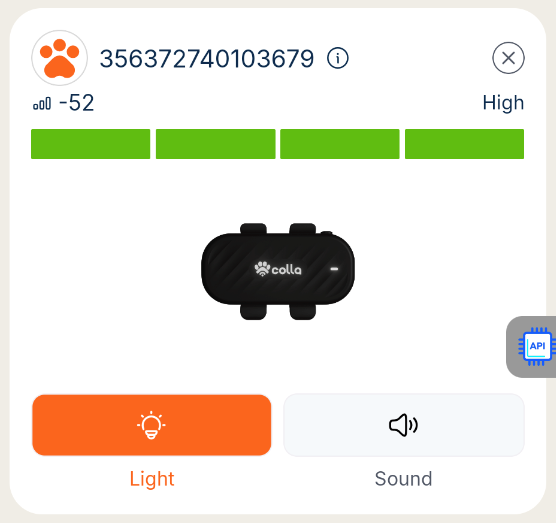
When you're using radar mode, you can also send light & sound commands to make the tracker beep or flash to help you hear where your pet is, or see them in dark conditions.
The best bit is that, because radar mode works via Bluetooth (and the light & sound commands sent while using radar mode use Bluetooth), this can all be done whether or not your phone and the tracker have a 4G connection.
Please make sure your app has bluetooth permissions and your phone's bluetooth is on, and the tracker is charged and nearby!
How do I use it?
1. If you are connected via Bluetooth to your tracker, you should be able to click the Radar icon on your tracker's card on the home screen.
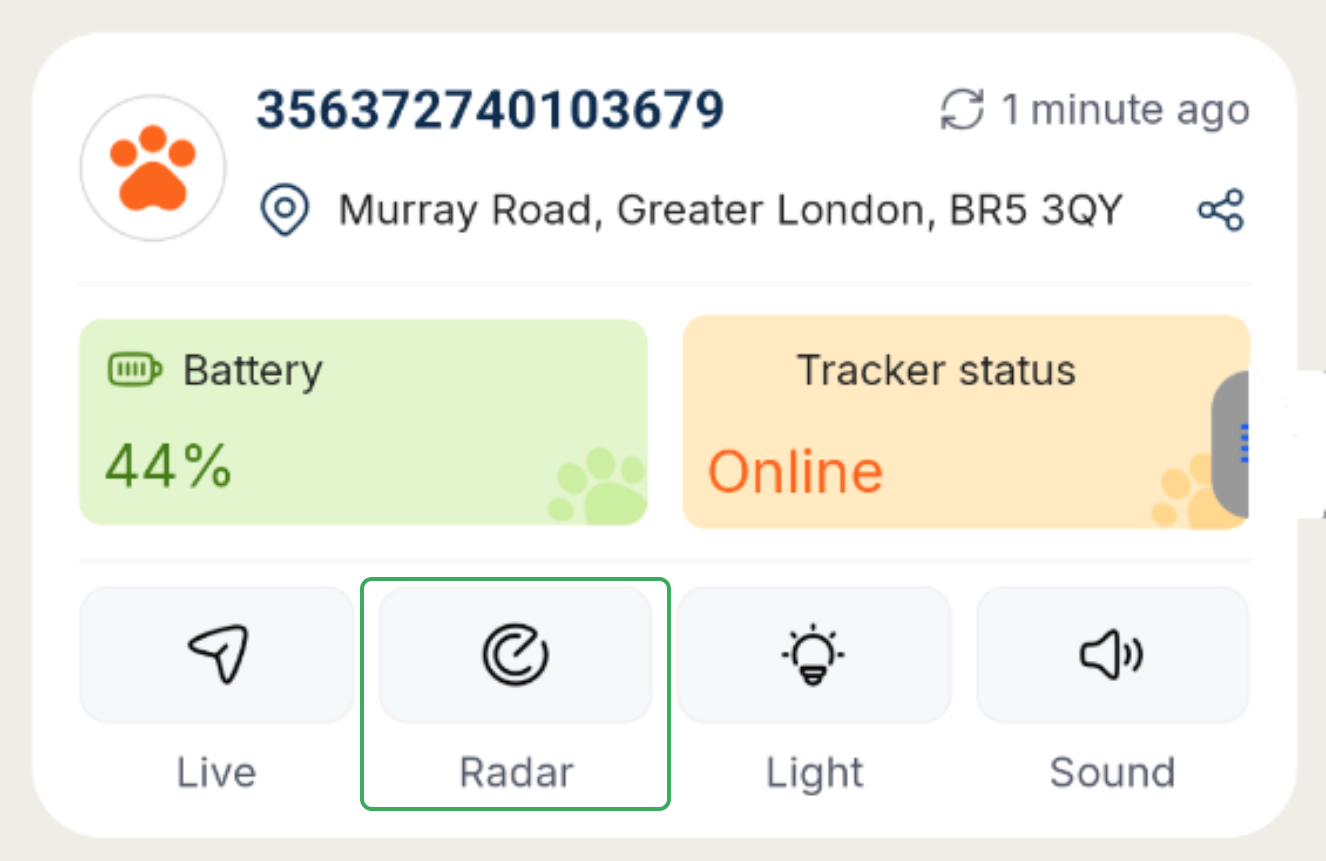
2. When you click this, you may see a red message show at the top of the screen telling you that your phone has Bluetooth off, or you haven't granted Bluetooth permission to the colla app, or your tracker hasn't connected via bluetooth (it may be too far away or out of charge). Try to resolve the issue and then try again.
3. If your tracker is connected via Bluetooth, you'll see the tracker card replaced by the radar mode view.
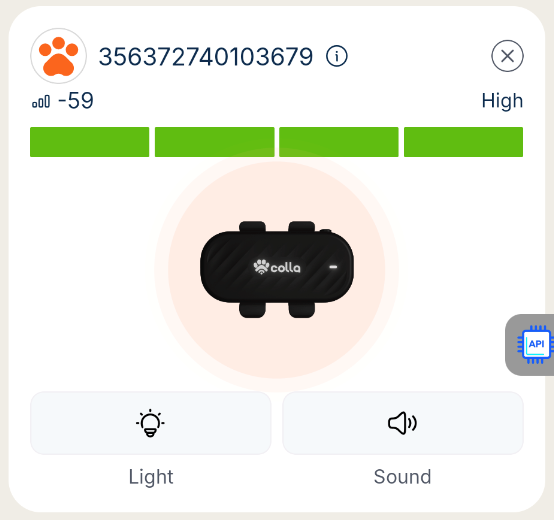
4. You can also use the light & sound buttons to enable or disable the flashing light or beeping of the tracker via Bluetooth
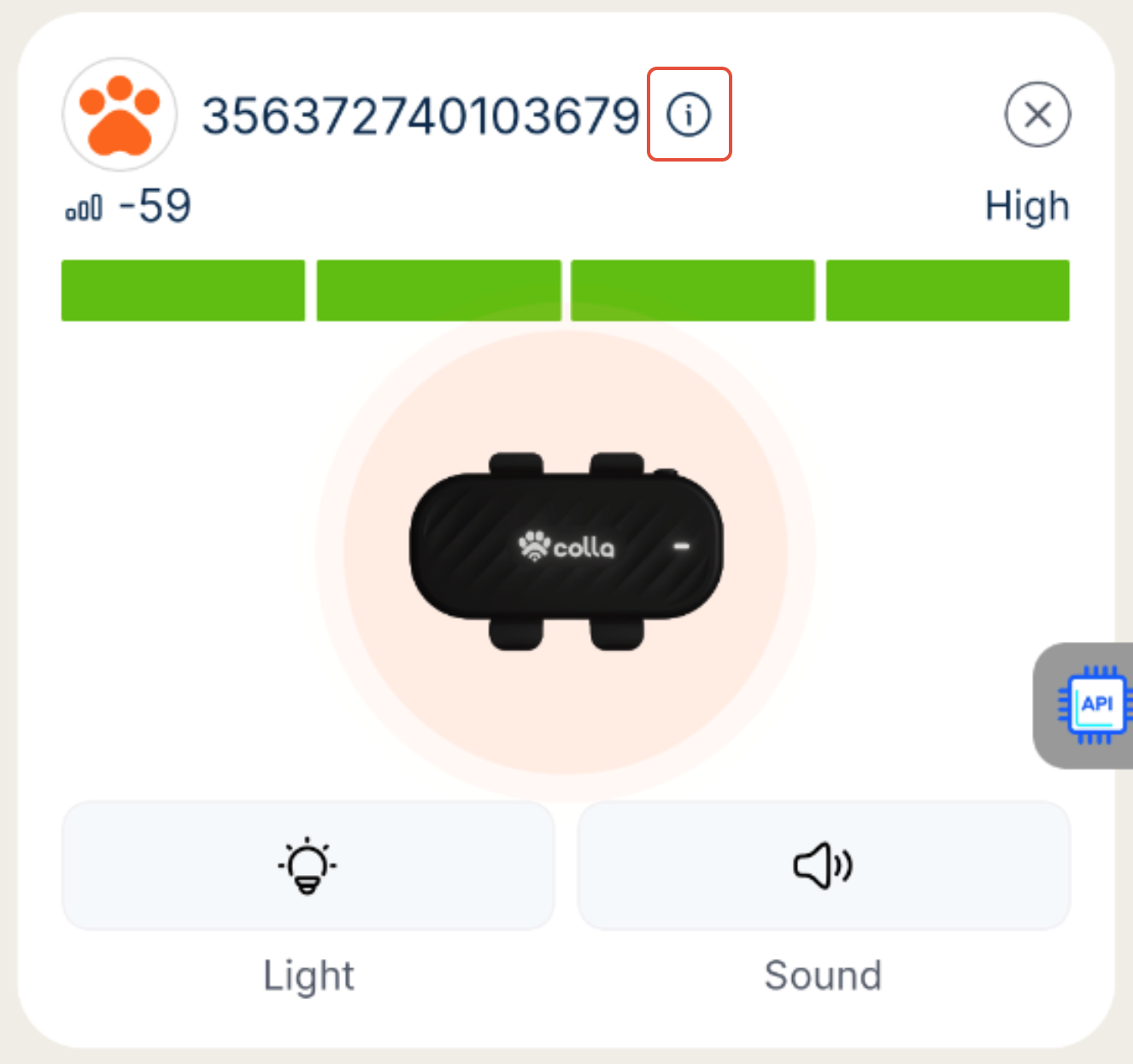
5. You can also click the little i information icon to remind yourself of how radar works, at any time!
Was this article helpful?
That’s Great!
Thank you for your feedback
Sorry! We couldn't be helpful
Thank you for your feedback
Feedback sent
We appreciate your effort and will try to fix the article