There are several ways to share your pet's location with friends and family members, so you can keep them involved with your walks, or share tracking with a dog walker or pet sitter.
- You can share a live location link valid for 15 minutes, up to 3 hours which anyone can access even without the colla app, giving a constantly updating location over that time period.
- You can share your furry friends' current location coordinates as a message
- You can open your pets current location coordinates in Google or Apple Maps so you can get directions to there, see what's nearby, use street view and much more!
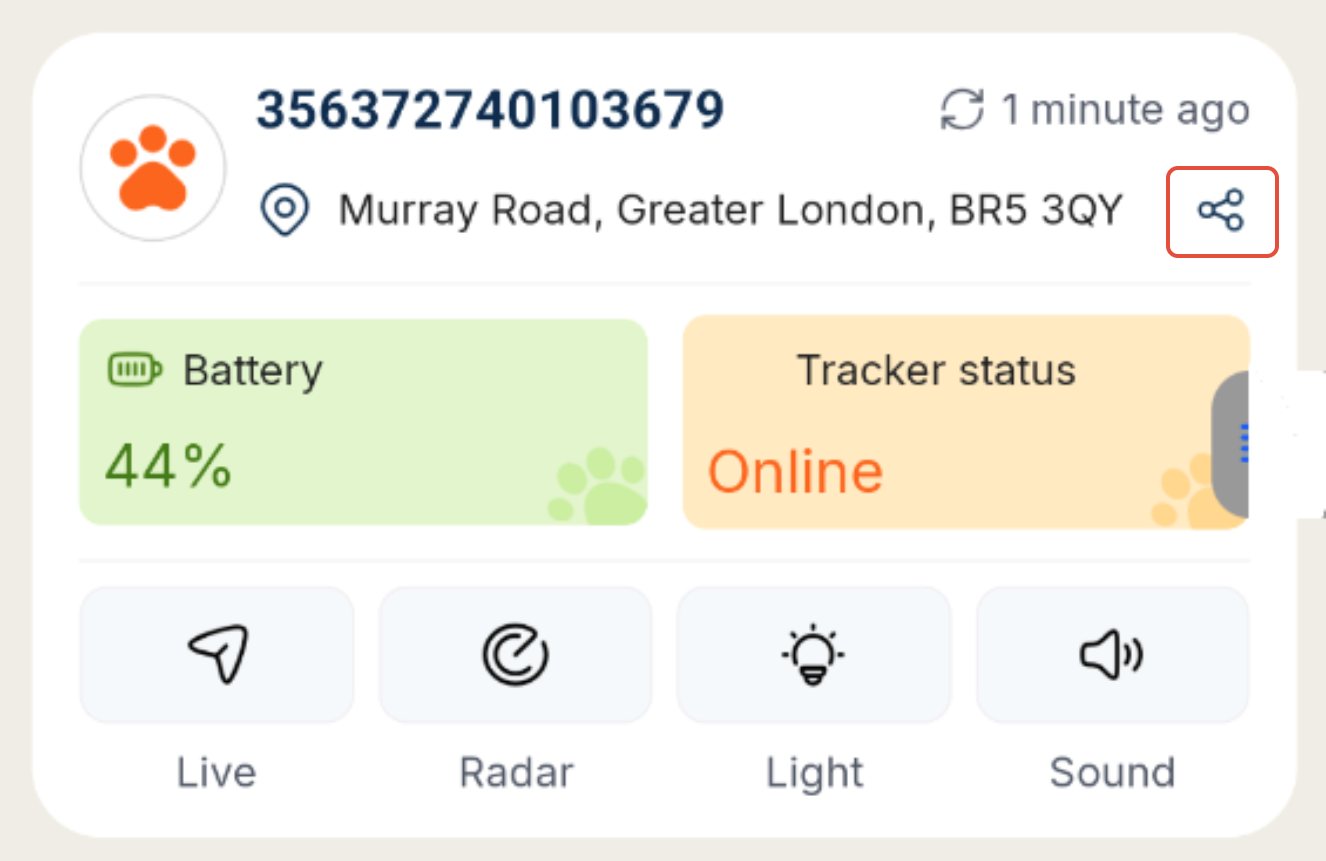
1. Press the share icon at the end of your pet's tracker's current address
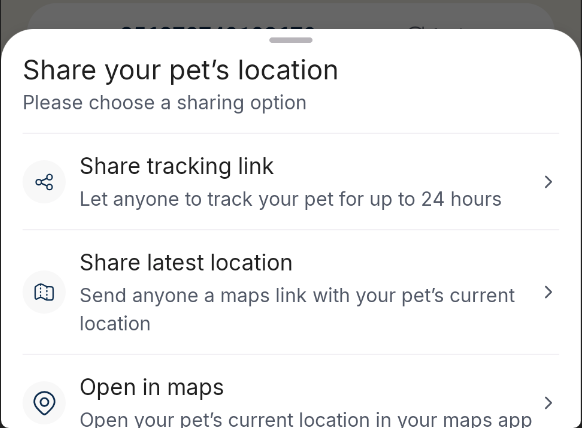
2. Choose your sharing method; Live Link, Latest Location (Coordinate Message), or opening the location in Google/Apple Maps.
3. If you choose to Share the latest location message or Open in maps, your phone's operating system will take over at this point and take you to a sharing menu for the message or to Apple Maps or Google Maps.
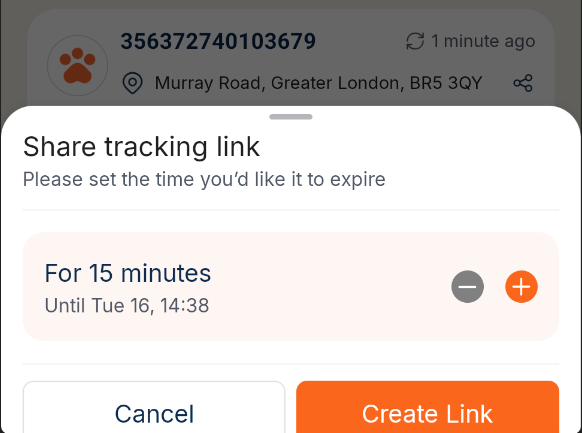
4. If you choose the live link, you can then choose how long to keep the link live for. The minimum time is 15 minutes, and the maximum time is 3 days. Just use the + (plus) and - (minus) to increase or decrease the expiry time. Then press Create Link
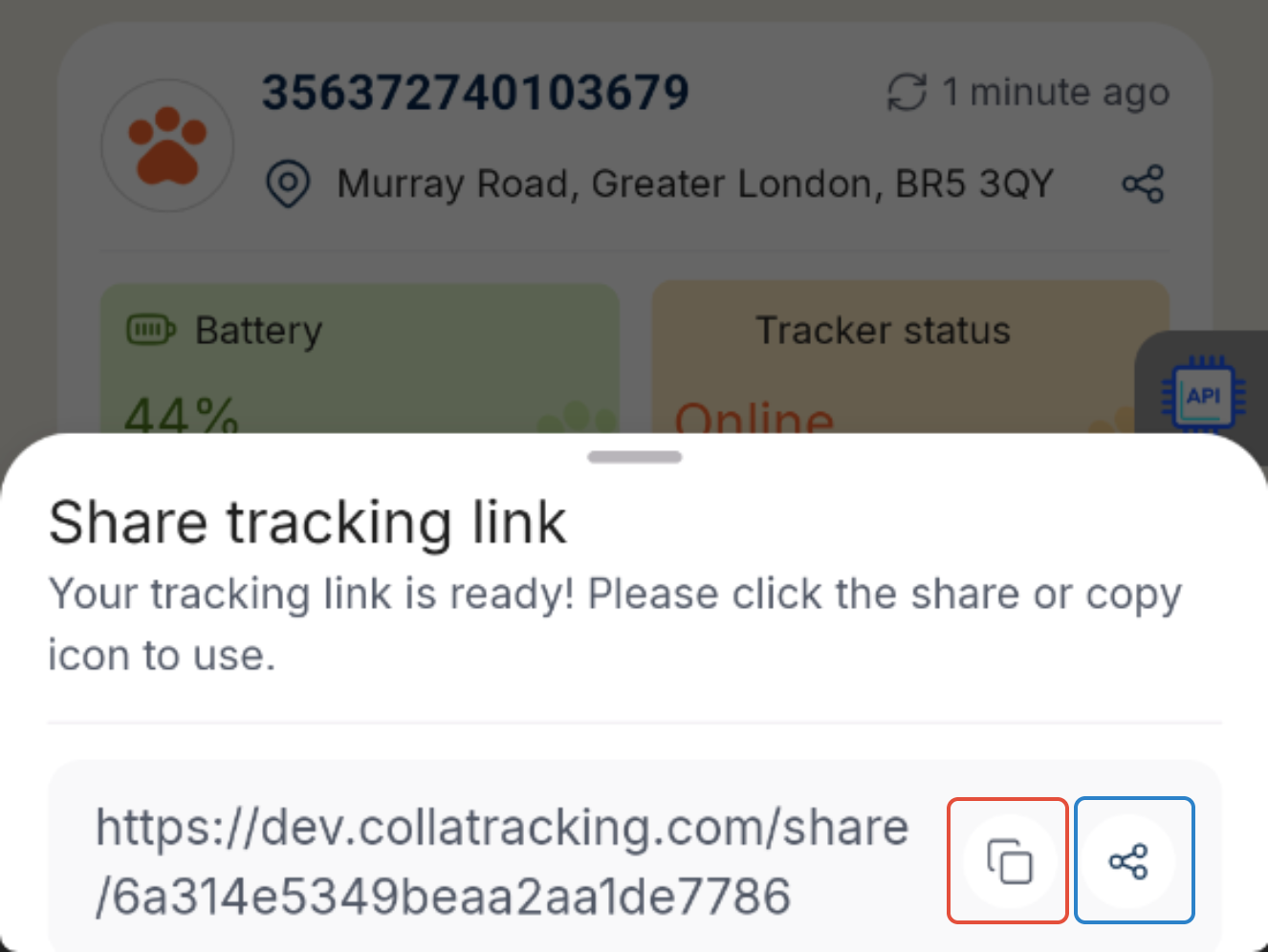
5. You should then see the link on the screen, ready for anyone to click and use. To share it with anyone, you can press the copy button (highlighted in red on the screenshot below) to copy it to your phone's clipboard and paste it in a message, email or most places on your phone. Or, you can press the share icon (highlighted in blue on the screenshot below) to open your phone's share menu and see a range of apps & people to send the link to.
6. When someone clicks the link, it should open a page in their browser where your pets latest location will be updated until the expiry you set. They won't need to refresh the page, the page will update automatically if your pet moves, exactly like your colla app!
7. If the link expires, just follow these steps to create a share a new link.
If you have any issues, we're always happy to hear from you!
Was this article helpful?
That’s Great!
Thank you for your feedback
Sorry! We couldn't be helpful
Thank you for your feedback
Feedback sent
We appreciate your effort and will try to fix the article